
دانلود نرم افزار و بازی اندروید

درباره سایت
آخرین مطالب
- دانلود Merge Dragons v11.14.1 بازی پازل اندروید؛ مود
- دانلود Clockmaker v89.0.0 بازی جورچین سه تایی ساعت ساز اندروید؛ مود
- دانلود Dan The Man v1.12.46 بازی مردی به نام دن اندروید؛ مود
- دانلود Clash Royale v90198014 - آپدیت جدید بازی «کلش رویال» اندروید؛ مود
- دانلود بازی برول استارز Brawl Stars v59.197 بازی جنجال ستاره ها اندروید؛ مود
- دانلود Minecraft v1.21.60.24 - آپدیت جدید بازی ماینکرافت مود شده با منابع بی
- دانلود Bomber Friends v5.40 بازی اکشن آنلاین 2 و 4 نفره اندروید؛ مود
- Royal Match v27443 - بازی جورچین سه تایی آفلاین رویال مچ اندروید؛ مود
- Subway Surfers v3.42.3 - آپدیت جدید بازی ساب وی سورف مود شده با پول بی نهایت؛
- دانلود Sniper 3D v5.0.2 بازی سه بعدی قاتل تک تیرانداز برای اندروید؛ مود
امکانات وب

بازی رایگان بیلیارد ایرانی هشت
امکان بازی یک به یک با کاربران ایرانی
امکان بازی با دوستان خود
همراه با مسابقات (تورنامنت های) میلیونی درون بازی به صورت ماهیانه
و چندین امکانات جذاب دیگر
امکان نصب بر روی سیستم عامل اندروید
دارای مجوز رسمی از بنیاد بازی های رایانه ای
دانلود نسخه اندروید
توجه داشته باشید:
چنانچه سوال یا اشکالی در مورد این مطلب دارید، همکاران ما 24 ساعته پاسخگوی شما هستند.
تماس از خط ثابت با شماره: 9099070345
SMS Backup & Restore Pro 10.01.136 یکی از قویترین برنامه های ارایه شده برای بکاپ گیری و بازگردانی اس ام اس در اندروید است. این برنامه با پشتیبانی از فرمتهای مختلف (برای ذخیره بکاپ ها) دارای قابلیت برنامه ریزی برای بکاپ گیری خودکار در زمانهای تعیین شده نیز میباشد که میتواند در حفظ پیامهای با ارزش کاربران موثر باشد. SMS Backup & Restore Pro امتیاز بسیار خوب 4.8 را در گوگل پلی ثبت کرده است.
GetAndroid برنامه کاربردی SMS Backup & Restore Pro را به کاربران عزیز پیشنهاد میکند.
ویژگیهای SMS Backup & Restore Pro :
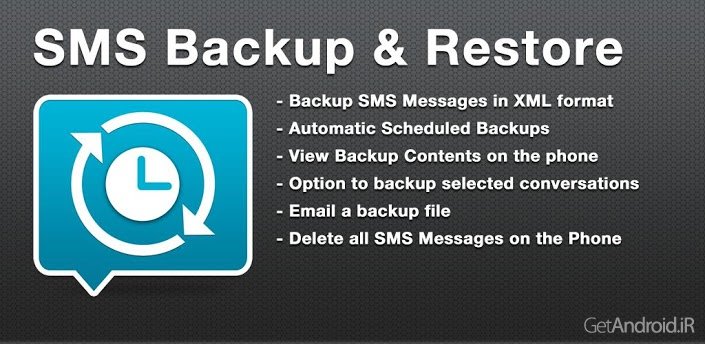
بکاپ گیری با فرمت XML
امکان تنظیم برنامه برای بکاپ گیری خودکار در زمانهای تعیین شده
امکان بکاپ گیری پیامهای انتخاب شده
مشاهده و بازگردانی همه پیامها و یا پیامهای انتخاب شده
امکان حذف تمام پیامها
امکان ایمیل کردن فایل بکاپ
امکان ایمیل یا آپلود کردن خودکار به Dropbox و Google Drive از طریق Add on
تست شده بر روی نسخه های اندروید از 1.5 تا 4.4.2
WHAT'S NEW 10.01.136 :
v.9.74
- Minor bug fixes
A simple App to Backup and Restore SMS Messages. This is a Paid No-Ads version of the Ad-Supported Free App.
NOTE: On Android 4.4+ devices, if you have performed the Restore and the messages don't appear in Hangouts then:
- Open Hangouts and Disable SMS from Settings.
- Exit the Hangouts app
- Open Hangouts and Enable SMS from Settings.
App Features:
- Backup SMS Messages in XML format.
- Choose a scheduled time to automatically backup.
- Backup format is independent of the Android version so the messages can be easily moved from one phone to another, irrespective of the Android version.
- Option to select which conversations to backup.
- View/Restore all Messages or only selected conversations.
- Delete all SMS Messages on the Phone.
- Email a backup file.
- Automatically Email or Upload to Dropbox & Google Drive using the Add-On.
- The XML can then be converted to other formats, and can also be viewed on a computer.
- Tested on Android v1.5 to v4.4.2
Please note that MMS (Picture/Audio/Video messages) support is currently in BETA.
On newer phones with inbuilt storage the default backup location will probably be the internal storage card and not the external.
This is because the phone reports the storage that way.
If you intend to do a factory reset on the phone, please make sure you save/email a copy of the backup outside the phone before doing it.
برچسب:
نویسنده: استخدام کار
صفحه بندی
آرشیو مطالب
- شهريور 1405
- خرداد 1400
- فروردين 1400
- مرداد 1399
- تير 1399
- آذر 1398
- آبان 1398
- مهر 1398
- شهريور 1398
- مرداد 1398
- تير 1398
- خرداد 1398
- ارديبهشت 1398
- فروردين 1398
- اسفند 1398
- بهمن 1398
- دی 1398
- آذر 1397
- اسفند 1397
- بهمن 1397
- دی 1397
- آذر 1396
- آبان 1396
- مهر 1396
- شهريور 1396
- مرداد 1396
- تير 1396
- خرداد 1396
- ارديبهشت 1396
- فروردين 1396
- بهمن 1396
- دی 1396
- آبان 1395
- مهر 1395
- شهريور 1395
- مرداد 1395
- تير 1395
- خرداد 1395
- ارديبهشت 1395
- فروردين 1395
- اسفند 1395
- دی 1395
- اسفند 1394
- بهمن 1394